
WORDPRESS COUNTRY TARGETING
Show the right content. In every country.
Show local offers, hide unavailable content and guide visitors to the right next step — automatically, by country.
Free WordPress plugin · No card details · Built by ReactWoo
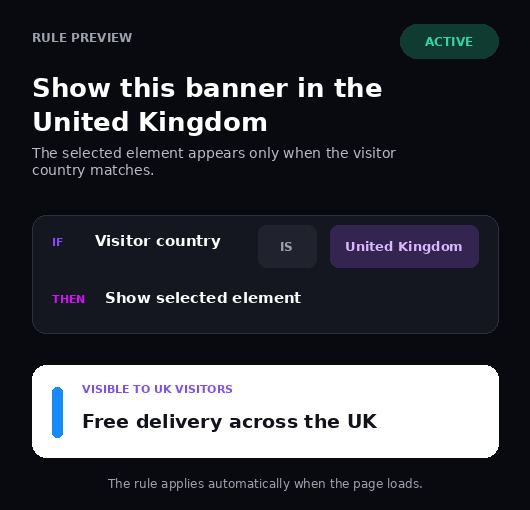
RELEVANCE WITHOUT REBUILDING
Make every visit feel local.
Use one page. Adapt only the parts that need to change.
01
Show relevant content
Display local offers, messages and calls to action.
MORE RELEVANCE
02
Hide what does not apply
Remove products, prices or information that are unavailable.
LESS CONFUSION
03
Guide visitors correctly
Point people toward the page or action intended for their country.
CLEARER JOURNEYS
NEXT: SEE THE REAL PRODUCT ↓
SEE THE PRODUCT
See exactly what you’re installing.
A real WordPress dashboard — not another black box. Check setup health, visitor context and country rules before you download.
REAL WORDPRESS DASHBOARD
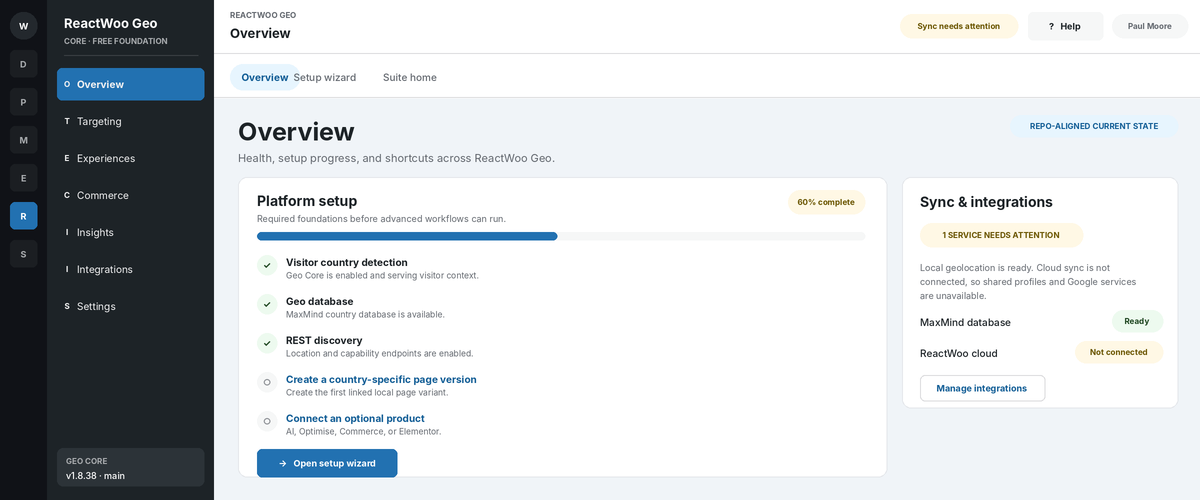
Dashboard overview
Manage Geo Core inside WordPress, alongside the tools you already use.
Setup confidence
Check detection, database and integration status before creating rules.
Visitor context
Preview the country and currency context that will control visible content.
Ready to create your first country rule?
Download the free WordPress plugin. No card details required.
WHAT YOU CAN TARGET
Target the parts that
need to change.
Keep one consistent page and adapt the content that becomes more useful when location changes.
PS
Page sections
BN
Banners
PP
Popups
OF
Offers
CT
Calls to action
LD
Local details
BASIC USAGE EXAMPLES
Simple rules. Useful outcomes.
Each rule answers two questions: where is the visitor, and what should change?
UNITED KINGDOM
Promote local delivery
RULE
Country is United Kingdom
RESULT
Show: Free UK delivery
FRANCE
Use a local call to action
RULE
Country is France
RESULT
Show: Acheter maintenant
SOUTH AFRICA
Remove unavailable services
RULE
Country is not South Africa
RESULT
Hide: Johannesburg installation
HOW GEO CORE WORKS
Create the rule. Add it to your page.
Create a rule, choose the countries and paste one generated shortcode into the builder you already use.
01
Create a country rule
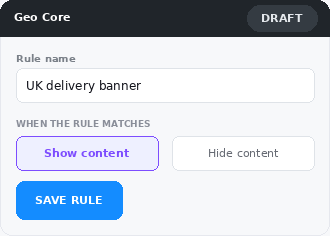
Name the rule and choose whether matching visitors should see or hide the content.
02
Choose where it applies
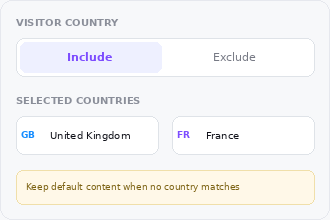
Include or exclude one or more countries while keeping a safe default for everyone else.
03
Paste the shortcode
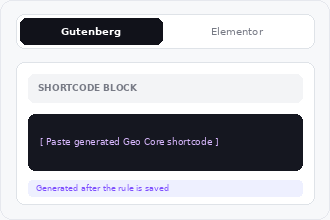
Paste one generated shortcode into Gutenberg, Elementor or another supported WordPress builder.
W
WordPress
G
Gutenberg
E
Elementor
Use the builder you already know.
Generate the rule once, then place its shortcode in your existing WordPress workflow.
Geo Core Pro adds deeper builder-level controls.
GET STARTED
Country targeting, free.
Download the free version now. Upgrade only when country targeting is no longer enough.
GEO CORE FREE
BEST PLACE TO START
Geo Core
£0
No payment required
Everything needed to start showing or hiding content by country.
INCLUDES
Show or hide content by country
Target one or multiple countries
Use rules across pages, banners and popups
Shortcode-based content control
Documentation and product updates
WHEN YOU NEED MORE
Geo Core Pro
Add device, campaign, audience and combined conditions when you need deeper control.
ADDITIONAL CONTROL
Device and UTM conditions
Combined rule logic
Elementor and Gutenberg controls
Audience and campaign targeting
Start free. Pro is there when country alone is no longer enough.
FREQUENTLY ASKED QUESTIONS
What you need to know before installing.
Clear answers to the questions that usually hold up the decision.
01
What can I target?
Control page sections, banners, popups, calls to action, offers and other content placed inside a Geo Core rule.
02
Can one rule include several countries?
Yes. Include or exclude multiple countries so one element can serve a region rather than a single market.
03
What if a country cannot be detected?
Keep a sensible default version visible when no rule matches. Important content should never depend on detection alone.
04
Does Geo Core identify individual visitors?
Geo Core uses country context to apply content rules. It does not need a visitor name or customer profile to choose what to show.
05
Will it work with site caching?
Location-based content and caching must be configured together. The documentation explains supported setups and sensible fallbacks.
06
When should I choose Geo Core Pro?
Choose Pro when rules also need device, campaign, audience or combined conditions, or deeper builder controls.
READY TO MAKE YOUR SITE MORE RELEVANT?
Show the right message from the first visit.
Download Geo Core, create your first country rule and keep the rest of the page exactly as it is.
✓
Free to start
✓
Simple country rules
✓
Upgrade only when needed
GEO CORE
Country targeting for WordPress
£0
Free product
Country-based show and hide rules
Multiple-country targeting
No card details. Installs like any WordPress plugin.